How to install device OBD
Step-by-step guide to connect the OBD device to the vehicle.
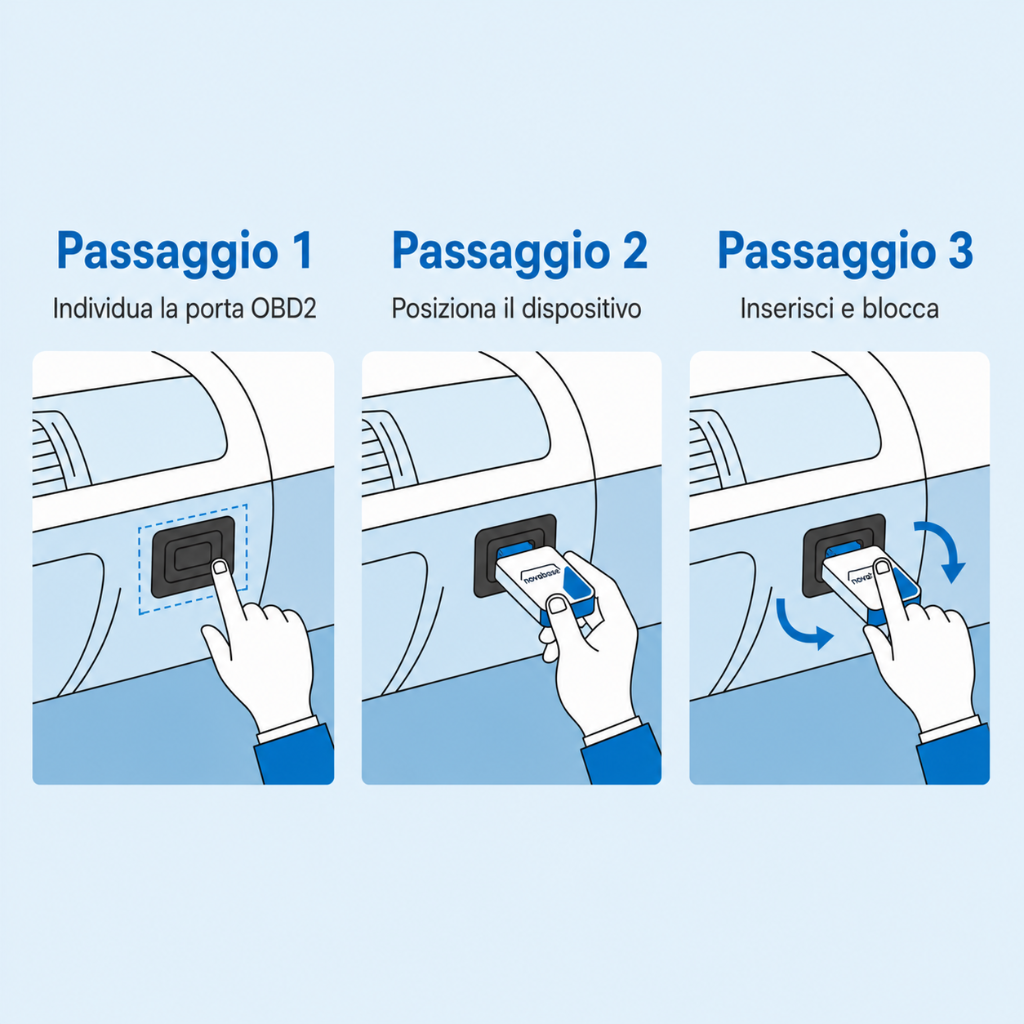
- Locate the vehicle's OBD-II socket. It is usually located under the dashboard, near the steering column.
- Insert the SmartCold device into the OBD socket with the connector facing downwards.
- Press firmly until you hear the click.
- Start the vehicle engine. The device will turn on automatically.
- Wait about 2 minutes: the device will connect to the network and appear in the cloud.
Notes
The device requires no additional setup after insertion. It automatically registers in the cloud once powered.
Troubleshooting
If the device does not turn on, check that the OBD socket on the vehicle is working. Try removing and reinserting the device.
Related guides
- What the SmartCold kit contains
List of components included in the SmartCold Monitor kit.
- Where to place the temperature probe
How and where to position the probe for an optimal temperature reading.
- How to check operation
Check that the OBD device and the probe are working correctly.