How to see your active subscription
Check the status of your SmartCold Monitor subscription.
- Go to 'My Account'.
- Click on the 'Subscriptions' tab.
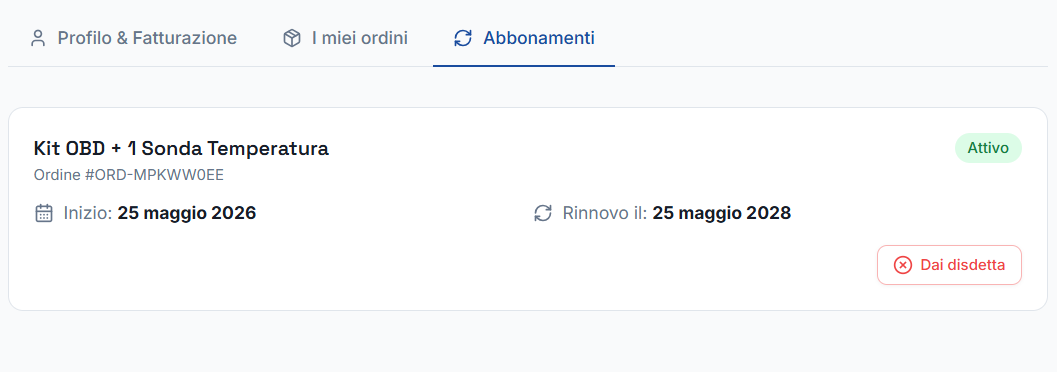
- You will see your subscription with: name of the plan (e.g. Kit OBD + 1 Temperature Probe), order number, start date and renewal date.
- The 'Active' status indicates that the subscription is functioning regularly.
Notes
The subscription automatically renews on the indicated date, unless cancelled.
Troubleshooting
If your subscription is not active, check that your payment was successful.
Related guides
- How to disable automatic renewal
How to cancel the automatic renewal of your subscription.
- How to reactivate a subscription
Reactivate the automatic renewal of a previously canceled subscription.