How to change the name of a vehicle
Customize the vehicle name in the dashboard.
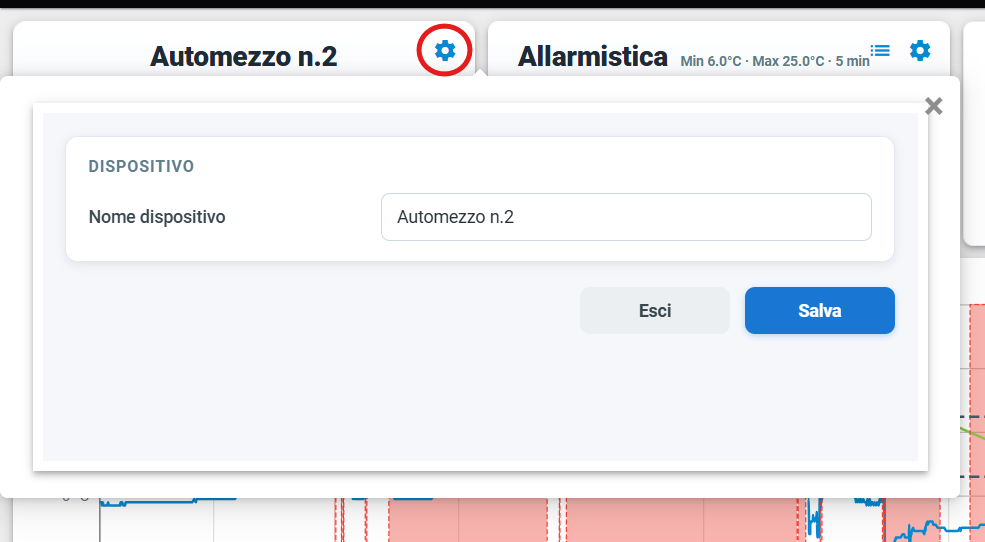
- Open the vehicle detail by clicking on its name in the list.
- Click on the gear icon next to the vehicle name above.
- A 'Device' panel will open with a 'Device Name' field.
- Edit the name and click 'Save'.
- The new name will be visible immediately in the vehicle list and in detail.
Notes
The name change is recorded in the audit log with the date and the user who made the change.
Troubleshooting
If the name doesn't update, try reloading the page. If the problem persists, contact support.
Related guides
- How to read the vehicle list
Overview of the main dashboard with the list of all monitored vehicles.
- How to read the audit log
The audit log records all changes made to a vehicle.