How to read the audit log
The audit log records all changes made to a vehicle.
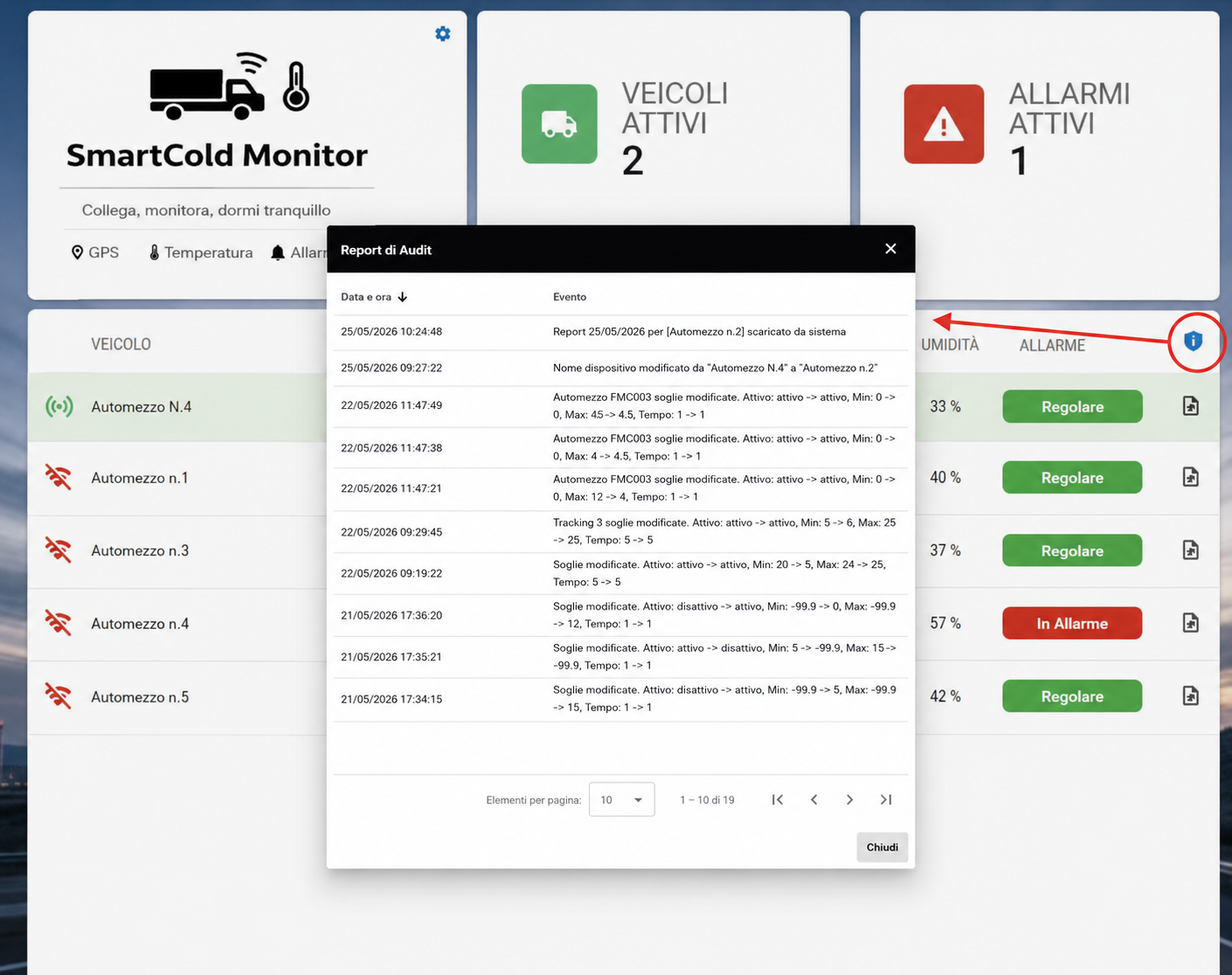
- Open the vehicle detail.
- Look for the audit report icon, blue icon at the top right of the list.
- The 'Audit Report' window will open with the chronological list of changes.
- Each line shows the date/time and description of the event: changes to thresholds, change of name, change of alarm status.
- The audit log also shows the user who made the change.
Notes
The audit log is an important tool for traceability. Shows who did what and when, also useful for regulatory compliance.
Troubleshooting
If the audit log shows no events, it means that no recent changes have been made to the vehicle.
Related guides
- How to change the name of a vehicle
Customize the vehicle name in the dashboard.
- How to configure temperature thresholds
Set the minimum and maximum thresholds for temperature alarms.