How to change password
Change your account password from the security panel.
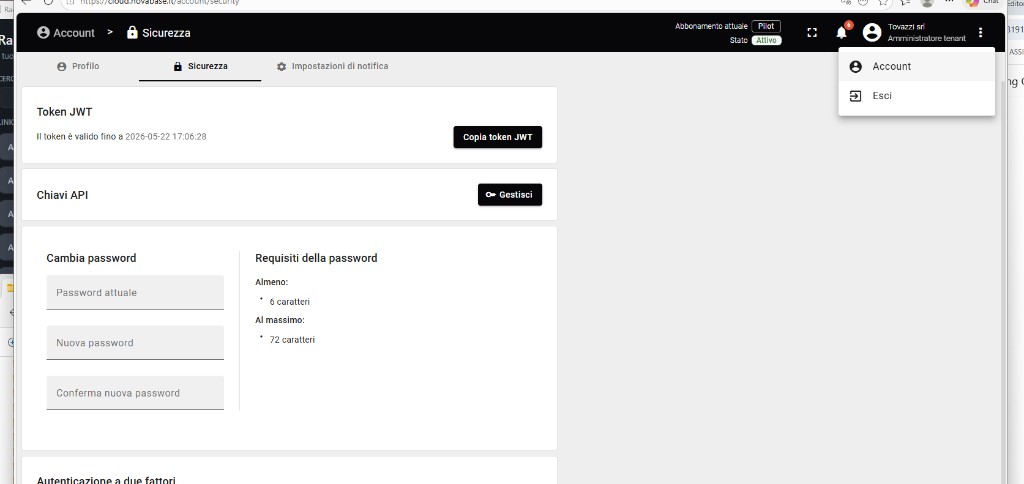
- Log in to the cloud and click on your profile icon at the top right.
- Select 'Account' from the drop-down menu.
- Go to the 'Security' tab.
- In the 'Change password' section, enter your current password and then your new password.
- Confirm the new password and click 'Save'.
Notes
The password must have at least 6 characters and a maximum of 72 characters. Choose a strong password with letters, numbers and symbols.
Troubleshooting
If you don't remember your current password, use the 'Forgot Password' feature on the login page.
Related guides
- How to access the cloud
Find out how to log in to the SmartCold Monitor portal for the first time.
- Forgotten password
How to Recover Cloud Login Password SmartCold Monitor.