How to configure temperature thresholds
Set the minimum and maximum thresholds for temperature alarms.
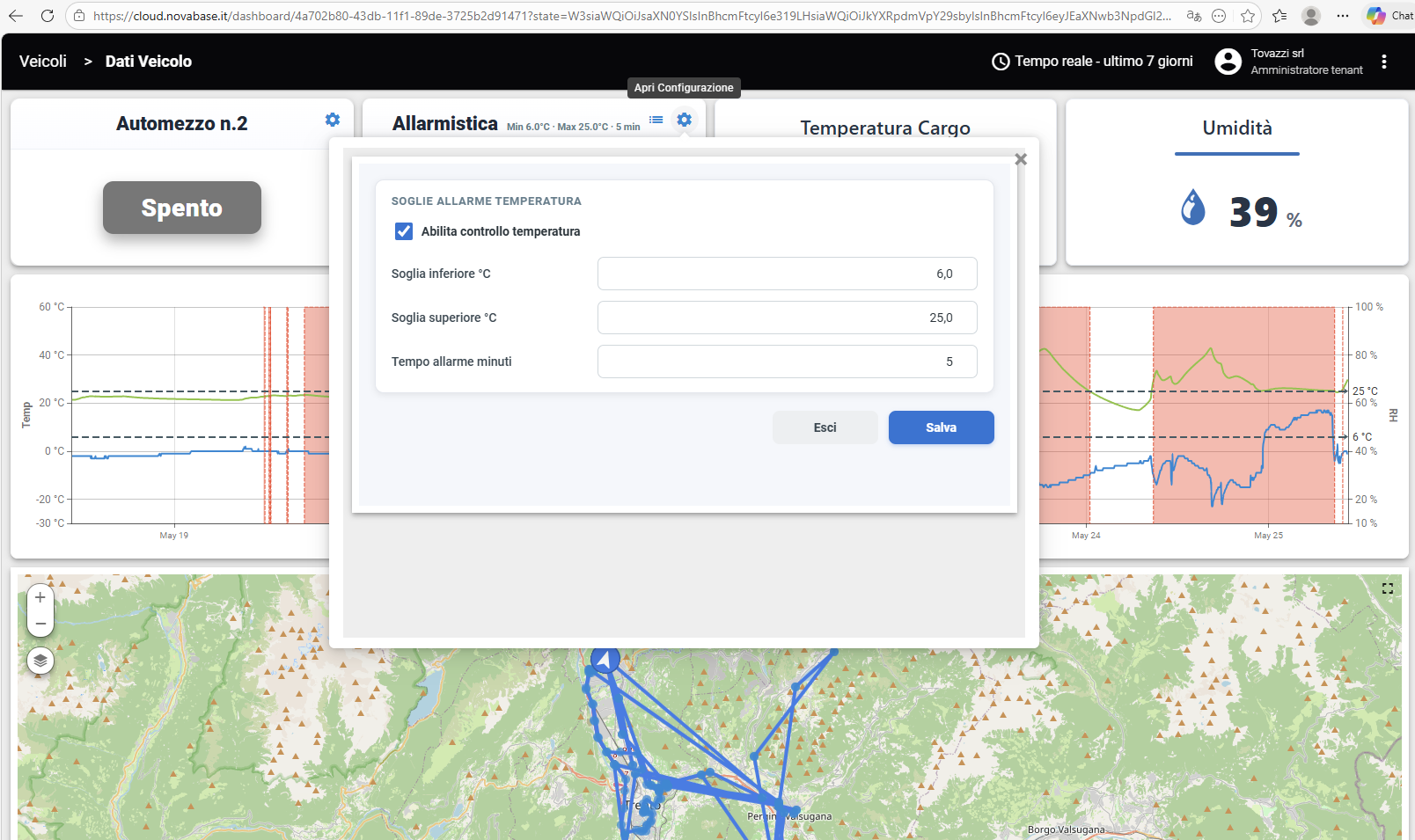
- Open the vehicle detail from the vehicle list.
- Click on the gear icon in the 'Alarming' section.
- The 'Temperature Alarm Thresholds' panel opens.
- Enable temperature control with the checkbox.
- Set the lower threshold (e.g. 6.0°C) and the upper threshold (e.g. 25.0°C).
- Set the 'Alarm time minutes': the number of consecutive minutes outside the threshold before the alarm is triggered.
- Click 'Save' to apply the new thresholds.
Notes
The 'Alarm time in minutes' is used to avoid false alarms caused by brief door openings. A value of 5 minutes is recommended for most uses.
ATTENTION: Every time the thresholds are modified the alarm is reset
Troubleshooting
If you receive too many alarms, try increasing the alarm time or widening the interval between the minimum and maximum thresholds.
Related guides
- How to activate notifications WhatsApp
Receive temperature alarms directly on WhatsApp.
- How to activate email notifications
Receive temperature alarms via email.
- Because I get too many alerts
Solutions to reduce the frequency of temperature alarms.