How to activate email notifications
Receive temperature alarms via email.
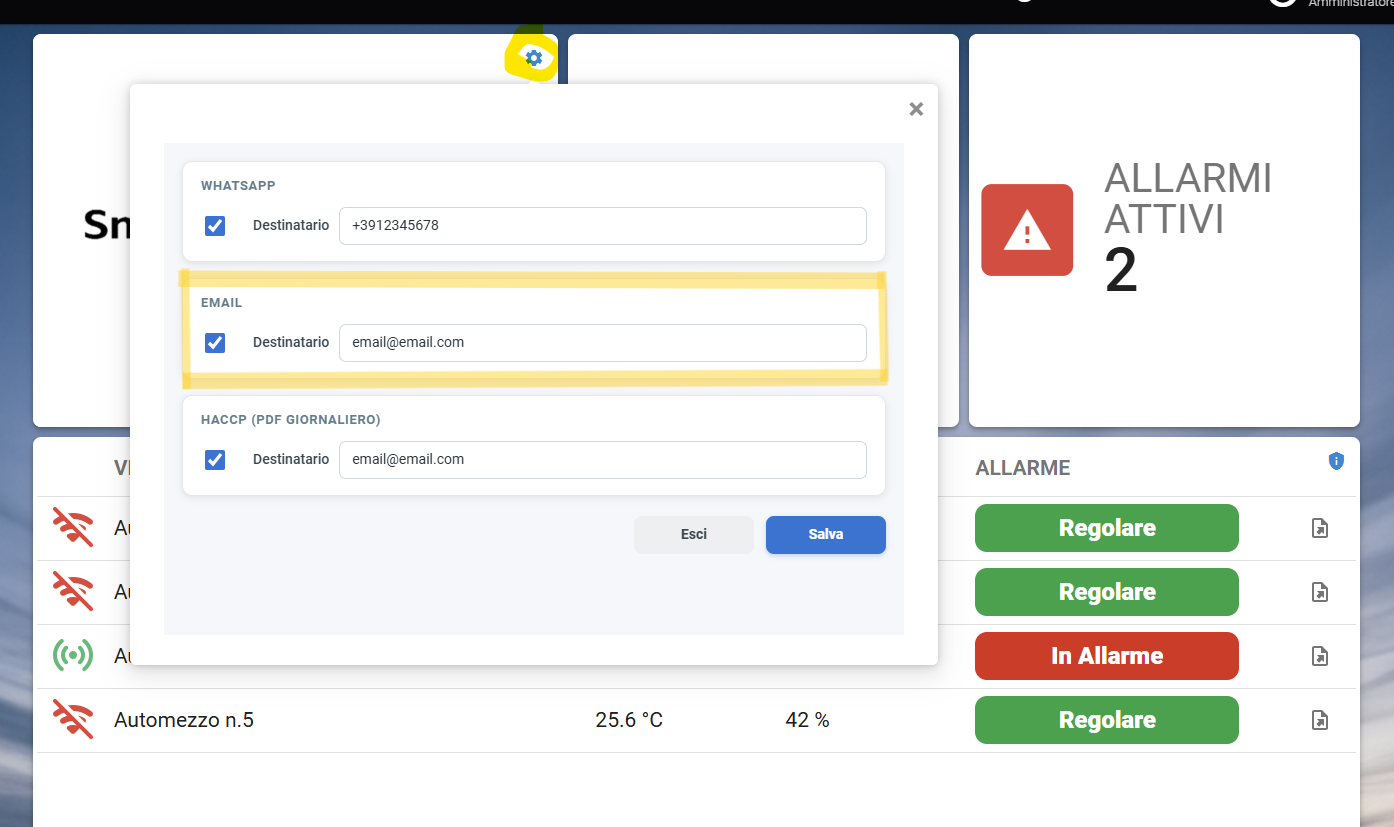
- From the dashboard, click on the gear icon at the top of the SmartCold Monitor box.
- The notifications configuration panel opens.
- In the 'Email' section, enable the 'Recipient' checkbox.
- Enter the email address where you want to receive notifications.
- Click 'Save' to enable email notifications.
Notes
You can enter any email address, not necessarily the one for your account. Useful for sending notifications to a manager or a group.
Troubleshooting
If you don't receive emails, check your spam folder and verify that the address is correct.
Related guides
- How to configure temperature thresholds
Set the minimum and maximum thresholds for temperature alarms.
- How to activate notifications WhatsApp
Receive temperature alarms directly on WhatsApp.
- I am not receiving alarm emails
Alarm emails do not arrive in the inbox.