Data displayed in vehicle detail
Complete overview of all data available on the vehicle detail page.
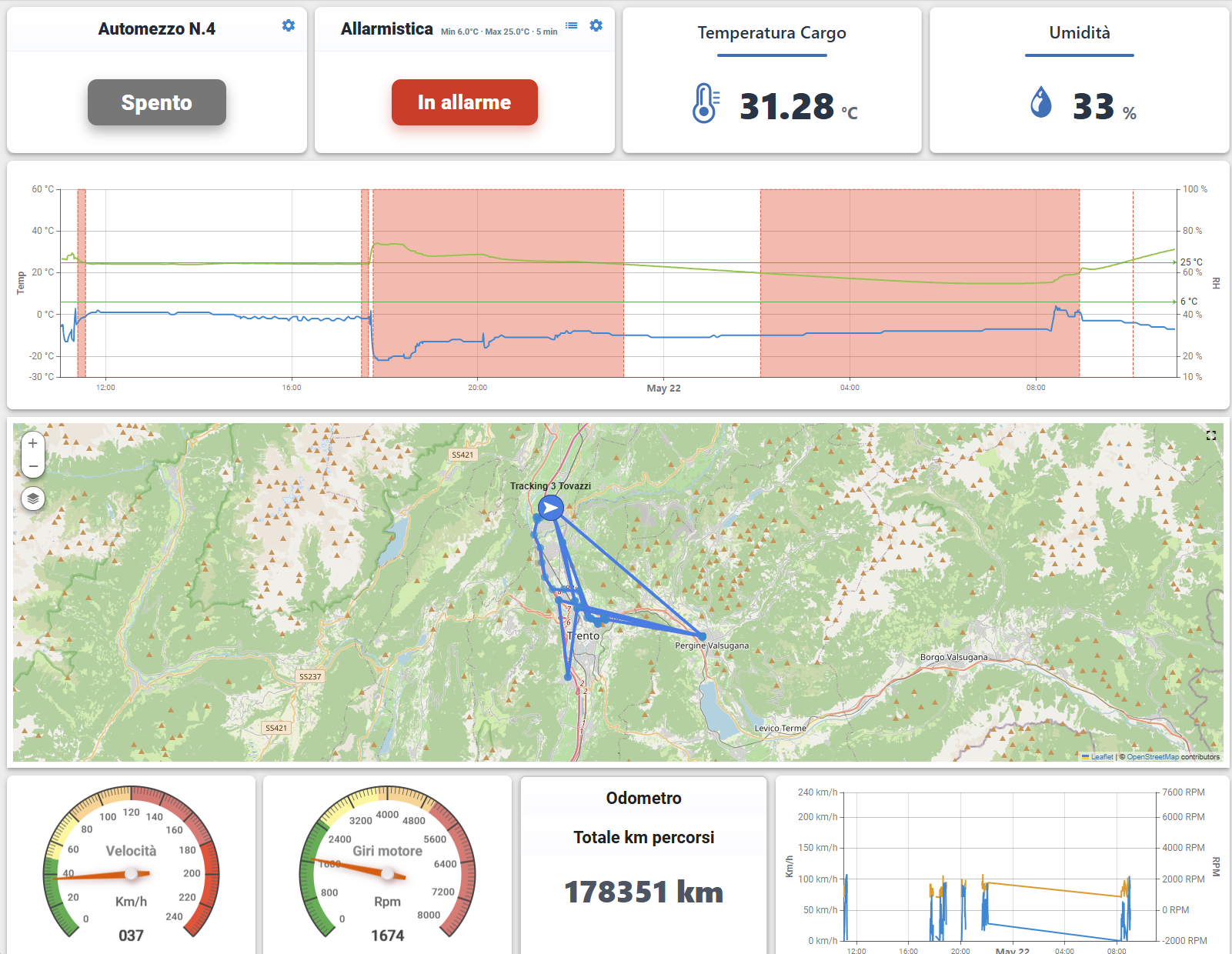
- The upper section shows: vehicle name, engine status (on/off), alarm status, live temperature and humidity.
- The central graph shows the temperature and humidity trend with highlighting the areas outside the threshold.
- The map GPS shows the current position and route of the vehicle in the selected time interval.
- In the lower part you will find: real-time speed speedometer, engine tachometer (RPM), odometer with the total km travelled.
- An additional graph shows the trend of speed and engine rpm over time.
Notes
All data updates based on the selected time interval. In 'real time' mode the data is automatically updated every few seconds.
Troubleshooting
If some data is unavailable, the vehicle may be turned off or the device offline.
Related guides
- How to open the vehicle detail
How to access all the detailed information of a vehicle.
- How to change time interval
Select the data display period in the vehicle detail using the shortcut keys and navigate forward or backward in time.
- How to read the temperature graph
Interpret the vehicle's temperature and humidity graph.