How to open the vehicle detail
How to access all the detailed information of a vehicle.
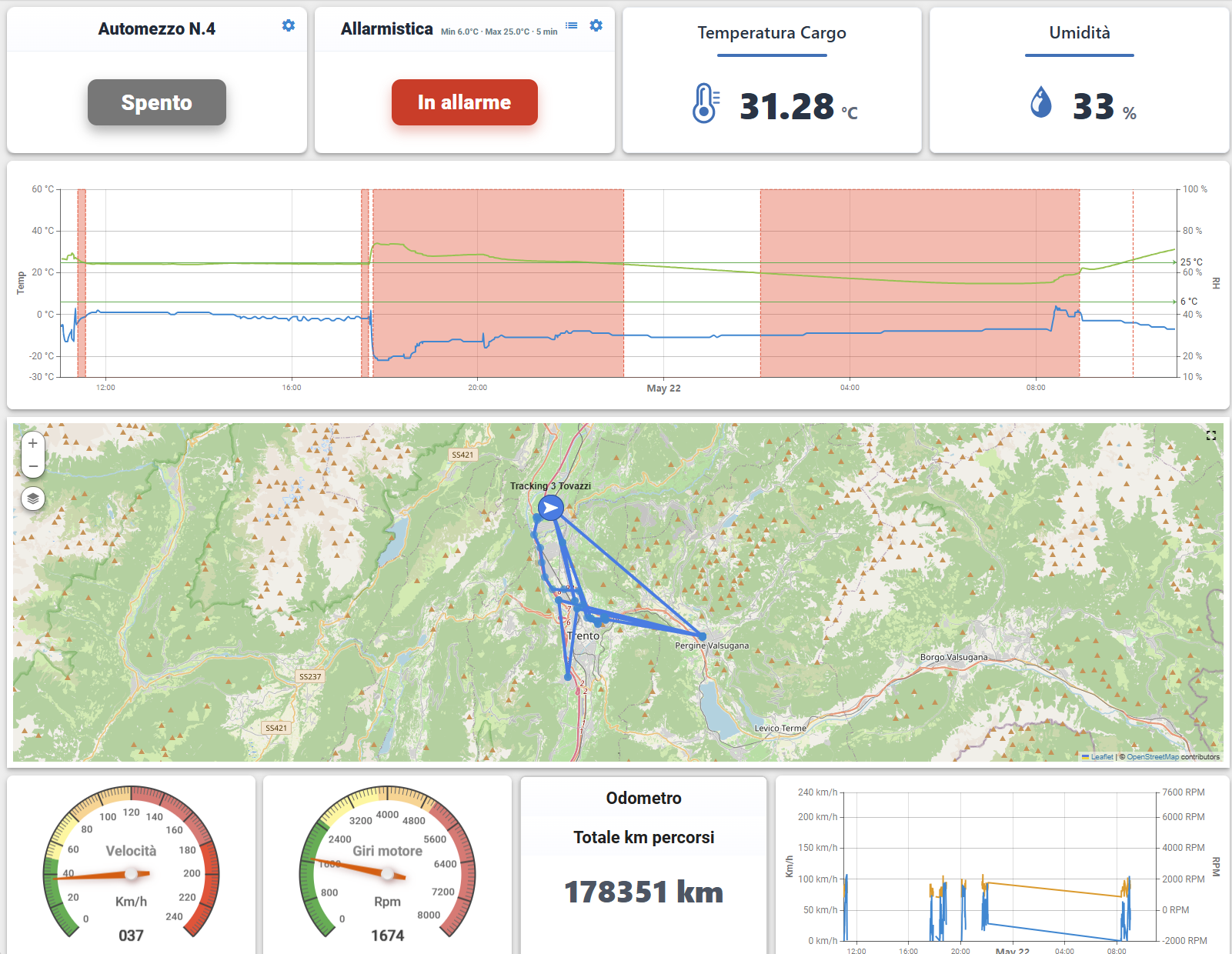
- From the vehicle list, click on the name of the vehicle you want to analyze.
- The detail page will open with live temperature, humidity, GPS position, alarm status and temperature graph.
- Scroll down to view the GPS map, speed, engine rpm and odometer.
Notes
The detail page shows all the data in real time. You can change the viewing period with the time selector at the top right.
Troubleshooting
If the data does not update, check that the vehicle is turned on and connected.
Related guides
- How to read the vehicle list
Overview of the main dashboard with the list of all monitored vehicles.
- How to change time interval
Select the data display period in the vehicle detail using the shortcut keys and navigate forward or backward in time.
- How to read the temperature graph
Interpret the vehicle's temperature and humidity graph.