I am not receiving alarm emails
Alarm emails do not arrive in the inbox.
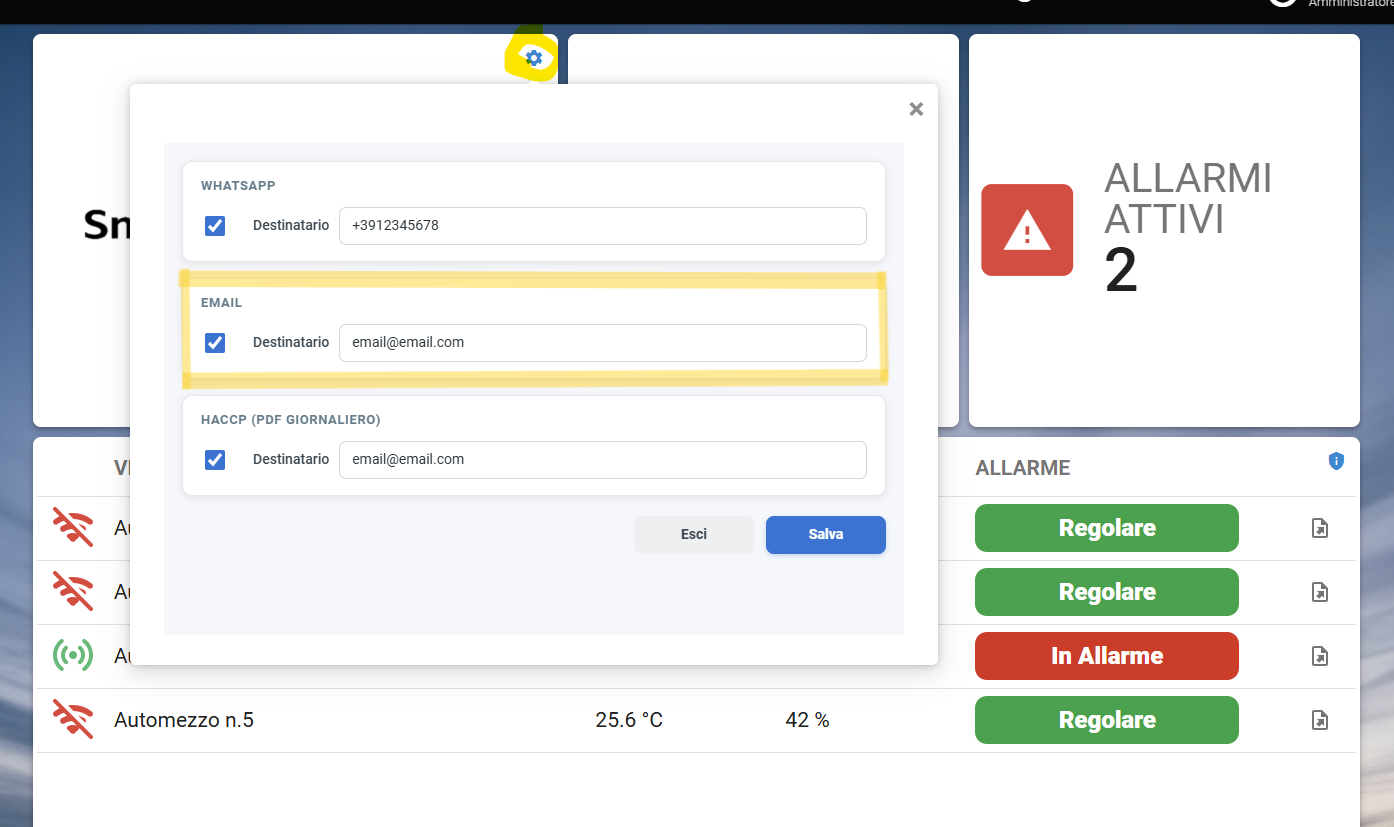
- Check that email notifications are enabled in your settings.
- Check that the email address entered is correct.
- Check your email client's spam, junk or promotions folder.
- Add the sender's address to your contacts or safe senders list.
- Check that temperature thresholds are configured and control is enabled.
Notes
Some email providers (Gmail, Outlook) may classify automatic emails as spam. Always check subfolders.
Troubleshooting
If the emails do not even arrive in the spam folder, contact support to check the service configuration.
Related guides
- How to activate email notifications
Receive temperature alarms via email.
- Why am I not receiving notifications
What to do if WhatsApp or email notifications do not arrive.