Why am I not receiving notifications
What to do if WhatsApp or email notifications do not arrive.
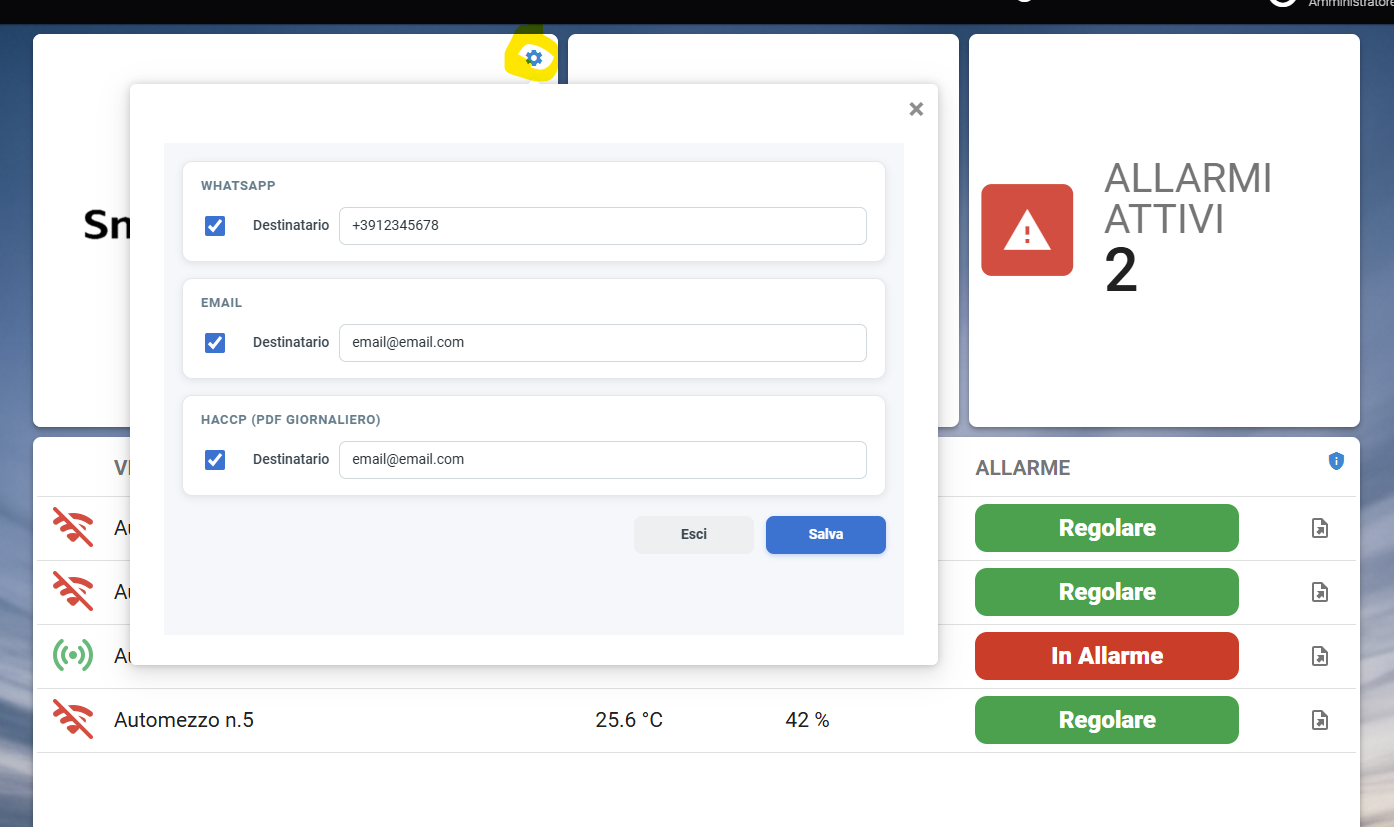
- Check that notifications are enabled in the configuration panel (gear icon).
- Check that the phone number or email you entered is correct.
- For WhatsApp: Make sure the number has WhatsApp active and working.
- By email: Check your spam or junk mail folder.
- Verify that temperature thresholds are configured and temperature control is enabled.
Notes
Notifications are sent only when the temperature remains outside the threshold for the configured time. If the threshold is not exceeded, no notifications will be sent.
Troubleshooting
If you have checked everything and the problem persists, contact technical support indicating the name of the vehicle and the type of notification not received.
Related guides
- How to configure temperature thresholds
Set the minimum and maximum thresholds for temperature alarms.
- How to activate notifications WhatsApp
Receive temperature alarms directly on WhatsApp.
- How to activate email notifications
Receive temperature alarms via email.