How to download temperature data and GPS
Download the temperature history and data GPS of a vehicle for a specific day.
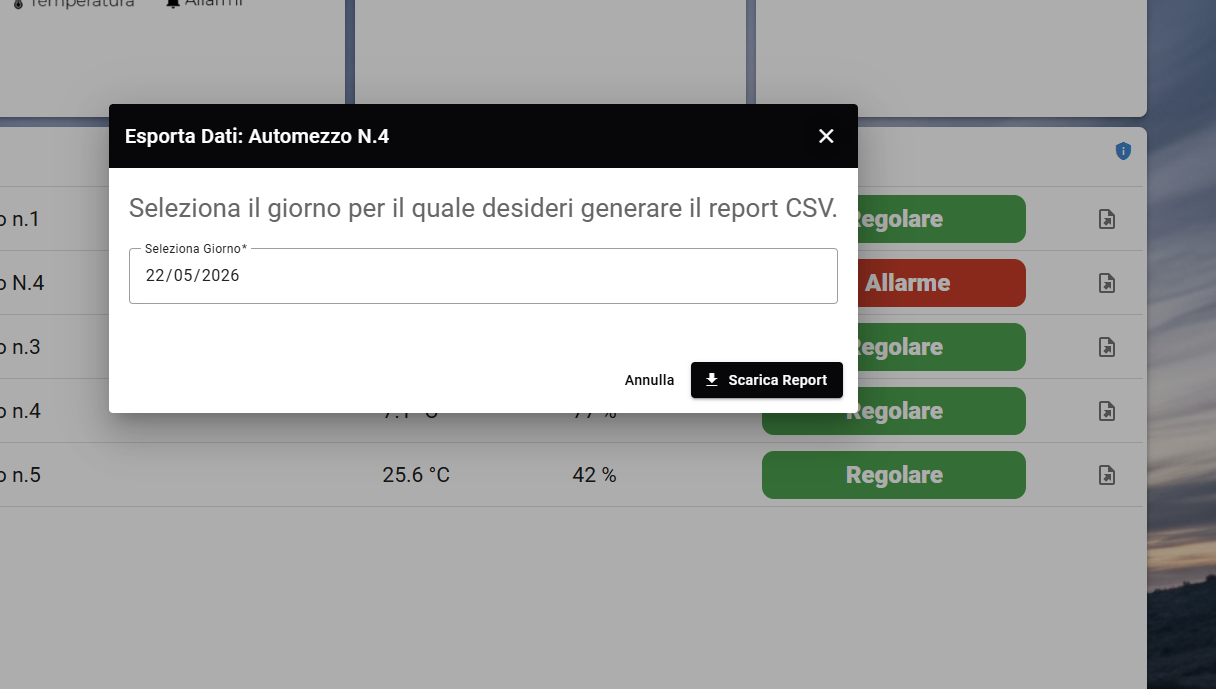
- Access the Cloud and view the vehicle list.
- Use the export/download icon to the right of each vehicle.
- Select the day of interest for which to download the data.
- The downloaded file will contain the temperature and position data recorded on the chosen day.
Notes
Data is available for each day of the vehicle's active period.
Troubleshooting
If there is no data available for the selected day, the vehicle may have been turned off.
Related guides
- How to change time interval
Select the data display period in the vehicle detail using the shortcut keys and navigate forward or backward in time.
- How to export a report CSV
Download temperature data in CSV format for analysis or documentation.