How to read the alarm history
Consult the complete alarm history of a vehicle.
- Open the vehicle detail.
- Look for the 'Alarming' section and click on the list icon.
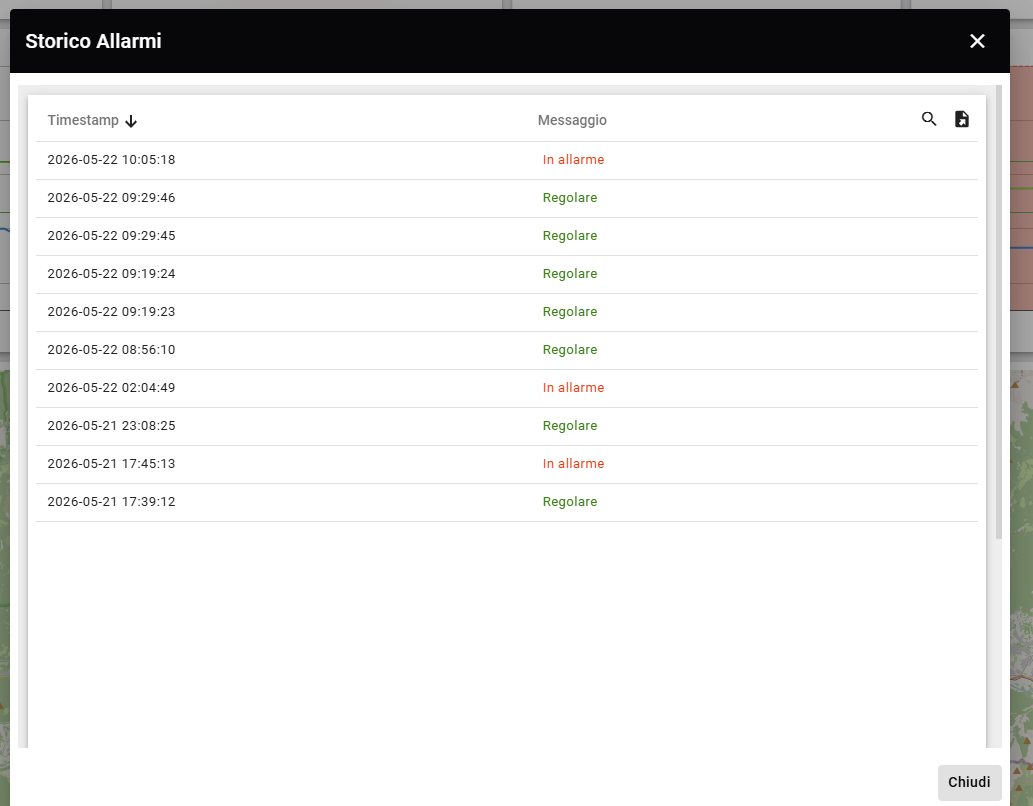
- The 'Alarm History' window will open with a list of all events.
- Each row shows the date/time and status: 'Alarming' (red) or 'Regular' (green).
- You can use the search icon to filter events and the export icon to download data.
Notes
The alarm history is useful for verifying HACCP compliance and for analyzing past events.
Troubleshooting
If the history is empty, the vehicle may never have exceeded the configured thresholds.
Related guides
- How to open the vehicle detail
How to access all the detailed information of a vehicle.
- How to configure temperature thresholds
Set the minimum and maximum thresholds for temperature alarms.